In fast-moving operational environments, every minute counts. Whether you are tracking natural disasters, assessing geopolitical impacts, or coordinating emergency response, knowing the moment an event occurs saves critical time. Danti users can already set up Monitors: recurring requests that check back on a topic or area on a regular schedule and deliver a fresh brief on what's new. Event Triggers take this a step further. Instead of waiting for users to start a Monitor, an Event Trigger creates one automatically the moment a qualifying event occurs. No request required, and you don't even need to have heard about the event yet. Event Triggers in Danti automate situational awareness, delivering real-time intelligence the moment significant events occur.
Danti allows you to set predefined rules to monitor events. Instead of refreshing feeds or manually configuring new monitoring parameters during a crisis, Danti automatically does the heavy lifting in the background, feeding you continuous updates as data becomes available.
How to Set it Up
You can create triggers for three types of events:
- Global Earthquakes — Triggered using USGS earthquake data. You can set a minimum earthquake magnitude for the events you want to monitor.
- Hurricanes — Covers hurricanes in the Eastern Pacific, Central Pacific, and Atlantic. Triggers use NOAA advisories and can be filtered by storm category.
- California Fires — Triggered using Cal Fire incident reports and the AlertCalifornia fire camera network.
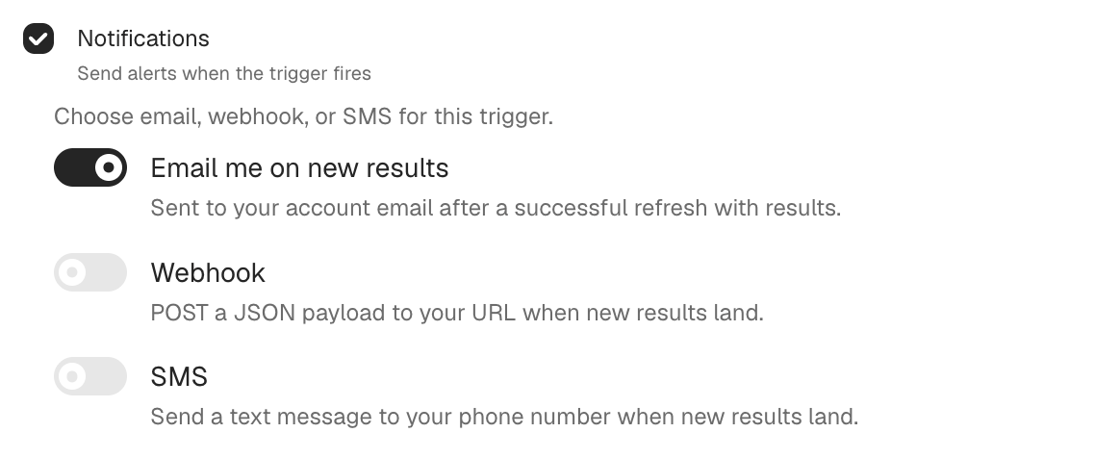
When an event meets your trigger criteria, Danti automatically begins to monitor for that event. The Monitor then keeps watch for new information, giving you a continuous stream of updates via email and text.
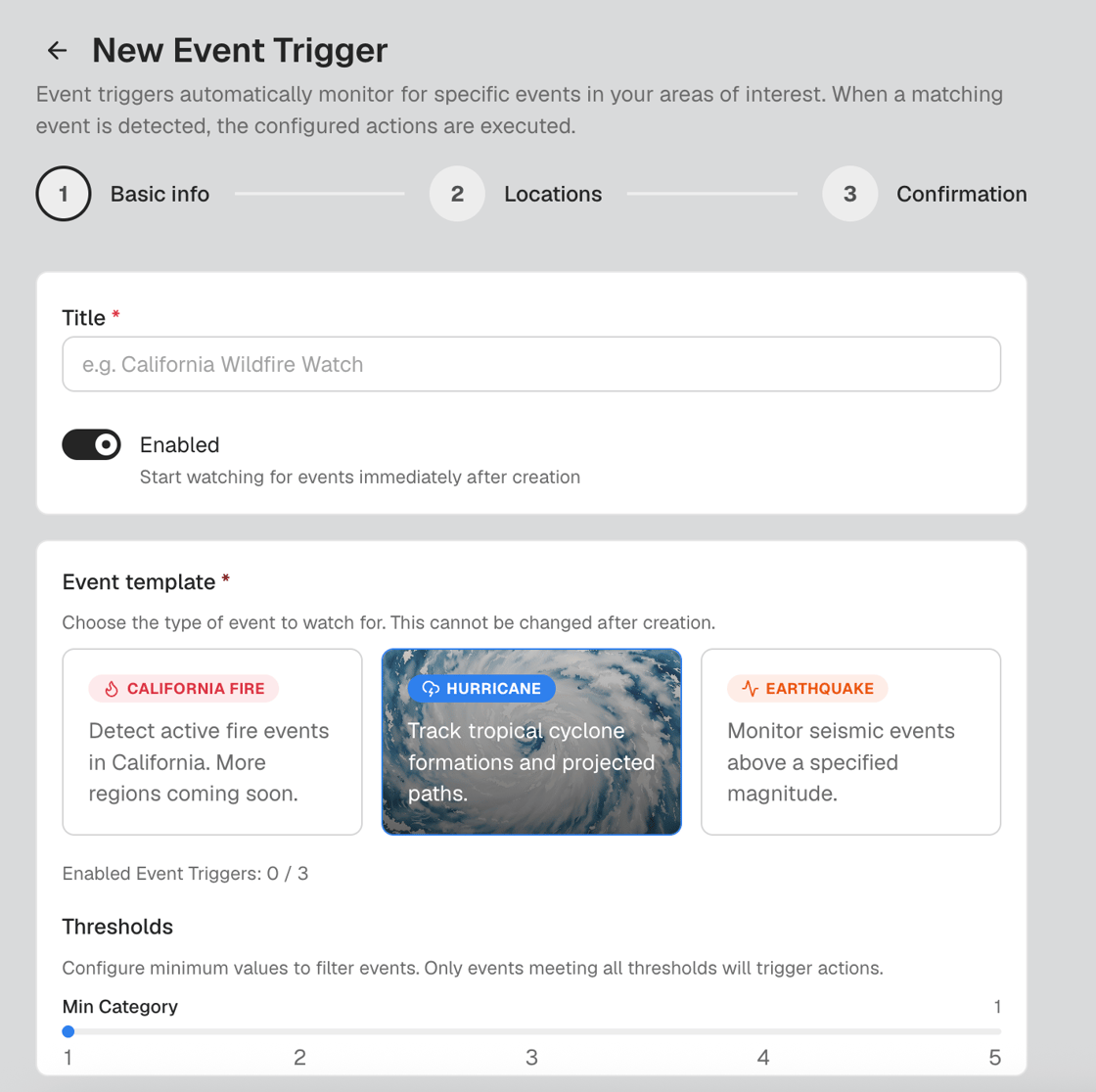
Event Triggers fit into your operational workflow, giving you immediate visibility without clogging your workspace. You can maintain up to three active Event Triggers at a time to focus on high-priority threats. Both Event Triggers and the Monitors automatically created via an Event Trigger have options to turn on SMS text and email notifications, so you can receive alerts wherever you need them. When an event meets your criteria, Danti gives you updates without requiring you to manually set up a new Monitor every time something happens.
To learn how Danti can transform your situational awareness, contact us today.